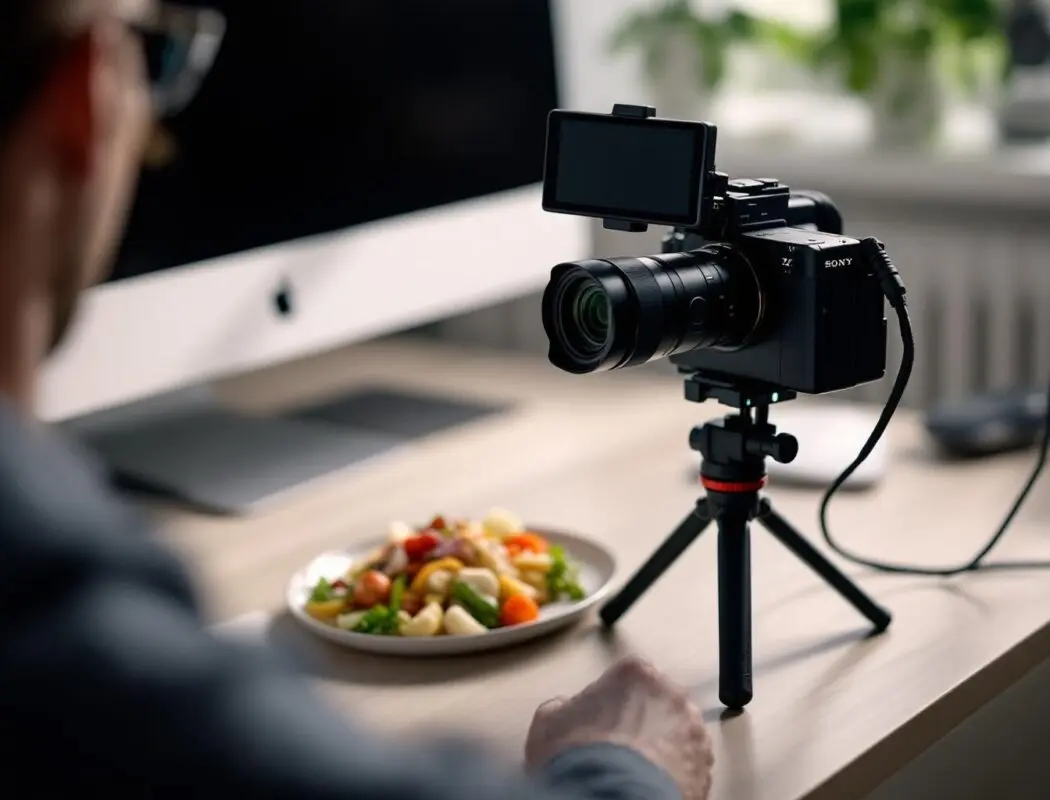
The Sony ZV-E10 II is Sony’s answer to a specific question: what does a dedicated vlogging camera look like when it has the autofocus engine and video capabilities of cameras costing twice as much? Released as the successor to the original ZV-E10, the Mark II jumps to a 26MP APS-C sensor with Sony’s latest AI subject recognition, 4K 60fps recording, and a redesigned 3-capsule directional microphone. At approximately $899 body-only, it sits in a competitive space against the Canon R50, Fujifilm X-S20, and Sony’s own a6700 — but the ZV-E10 II is purpose-built for content creators in a way those cameras are not.
What Are the Sony ZV-E10 II’s Key Specs?
The Sony ZV-E10 II is a 26-megapixel APS-C mirrorless camera designed specifically for vlogging and content creation, featuring Sony’s AI-based subject recognition autofocus system, 4K 60fps video recording in 10-bit 4:2:2, a 3-capsule directional microphone with improved wind noise reduction, and dedicated one-touch features for background defocus, product showcase mode, and S-Cinetone color. It uses the Sony E-mount lens system, giving access to both APS-C and full-frame lenses from Sony, Sigma, Tamron, and others.
| Spec | Sony ZV-E10 II | Sony ZV-E10 (Original) |
|---|---|---|
| Sensor | 26MP APS-C CMOS | 24.2MP APS-C CMOS |
| Processor | BIONZ XR + AI Processing Unit | BIONZ X |
| Video (max) | 4K 60p 10-bit 4:2:2 | 4K 30p 8-bit 4:2:0 |
| Slow Motion | 4K 60p, 1080 120p | 1080 120p |
| Autofocus | AI subject recognition (759 points) | Real-time tracking (425 points) |
| IBIS | Electronic (Active Mode) | None (sensor-level) |
| Microphone | 3-capsule directional | 3-capsule directional |
| Screen | Vari-angle touchscreen | Flip-up touchscreen |
| Battery | NP-FZ100 | NP-FW50 |
| Weight | ~377g (body only) | ~343g (body only) |
| Price (MSRP) | $899 body / $999 kit | $699 body / $799 kit |
How Good Is the Video Quality on the ZV-E10 II?
The jump from the original ZV-E10 to the Mark II in video quality is substantial. The original topped out at 4K 30p in 8-bit 4:2:0 — functional but limiting for color grading. The ZV-E10 II shoots 4K 60p in 10-bit 4:2:2 internally, which is a professional-grade recording specification in a sub-$1,000 body.
In practice, the 4K footage is sharp, well-detailed, and grades smoothly. The 10-bit color depth means gradients (sky, skin transitions) render without the banding artifacts that plagued 8-bit footage from the original. The 4:2:2 chroma subsampling retains more color information, which matters when you are pulling green screen keys, applying heavy color grades, or shooting in mixed lighting.
The camera uses a 1.5x APS-C crop on 4K footage from the full sensor width (no additional crop at 30p). At 4K 60p, there is a minimal additional crop — approximately 1.1x — which is barely noticeable in real-world use. For comparison, some competing cameras crop significantly more at higher frame rates, reducing your effective field of view.
Slow Motion Capabilities
1080p at 120fps gives you clean 5x slow motion when played back at 24fps. The quality at 1080/120p is good — not quite as detailed as 4K, but more than adequate for YouTube and social media. For product reveals, cooking content, or travel transitions, this slow motion mode is one of the ZV-E10 II’s strongest creative tools.
If you need slow motion at higher quality, shoot 4K 60p and interpret it as 2.5x slow motion at 24p playback. The quality difference is visible, and for anything destined for a larger screen or higher production value, this is the better approach.
How Does the AI Autofocus Perform for Vlogging?
The ZV-E10 II uses the same AI Processing Unit found in Sony’s higher-end bodies — the A7C II, a6700, and A7R V all share this AF architecture. For a vlogging camera, this is arguably the single most important spec because reliable face and eye tracking at arm’s length is what separates a usable vlog camera from a frustrating one.
In testing, the AF system locks onto faces within a fraction of a second of entering the frame and maintains lock through head turns, brief occlusion (putting a product in front of your face), and dramatic distance changes (walking toward or away from the camera). Eye AF is persistent even at wide apertures (f/1.4-f/1.8) where the depth of field is razor-thin.
The subject recognition extends beyond humans. The camera recognizes animals, birds, and insects — useful if you create pet content or nature vlogs. It also recognizes vehicles, which is less relevant for most vloggers but demonstrates the breadth of the AI system.
Product Showcase Mode
This is a ZV-series exclusive feature. When enabled, holding a product close to the camera causes the AF system to immediately shift focus from your face to the product — no tapping the screen, no waiting. When you pull the product away, focus returns to your face. The transition is smooth and deliberate, mimicking the kind of focus pull that normally requires a dedicated focus puller on a production set.
For unboxing content, product reviews, cooking vlogs, and any format where you regularly show items to the camera, Product Showcase Mode eliminates the most common frustration with single-operator video: fighting the autofocus for control.
What Is the Audio Quality Like on the ZV-E10 II?
The ZV-E10 II uses a 3-capsule directional microphone built into the top of the body, shielded by a removable wind screen. The directional characteristic focuses pickup on what is in front of the camera, reducing background noise from behind and to the sides.
Audio quality from the built-in mic is the best I have heard from any camera’s internal microphone. It is not a replacement for a dedicated lavalier or shotgun mic in professional work, but for casual vlogging, on-the-go recording, and situations where an external mic is impractical, it produces clear, broadcast-adjacent audio.
The wind screen (included in box) makes a meaningful difference outdoors. Without it, even moderate breeze creates low-frequency rumble. With it, you can record in light wind without post-processing issues. For heavy wind, an external deadcat or a lavalier mic is still necessary.
- Mic input: 3.5mm TRS jack — compatible with standard lavaliers (Rode Wireless Go II, DJI Mic 2) and shotgun mics (Rode VideoMicro II)
- Headphone output: 3.5mm — essential for monitoring audio during recording
- Digital audio interface: Multi Interface Shoe (MI Shoe) for Sony wireless mics like the ECM-W3 without cables
What Are the Best ZV-E10 II Settings for YouTube?
YouTube is the primary platform for most vloggers, and the ZV-E10 II’s settings should be configured to produce footage that looks great after YouTube’s compression while being efficient to edit and upload.
Resolution and Frame Rate
- 4K 30p — for talking head, sit-down, and standard vlog content. This is the sweet spot: maximum detail, manageable file sizes, and YouTube displays 4K content with a higher bitrate allocation than 1080p, resulting in better visual quality even for viewers watching at 1080p.
- 4K 60p — for action, travel, and content where smooth motion matters. Also gives you the option to slow footage to 50% in a 30p timeline for subtle slow motion.
- 1080 60p — for live streaming, extended recording sessions, or when storage and editing speed are priorities over maximum resolution.
Color Profile
S-Cinetone is the recommended profile for YouTube vlogging. It produces a cinematic, slightly warm color palette with flattering skin tones that requires zero color grading. The footage looks polished straight from the camera, which is exactly what you want for a fast vlog turnaround workflow.
Avoid S-Log2 or S-Log3 unless you grade every piece of footage you produce. Log profiles look flat and washed-out without grading, and incorrect exposure with Log (underexposing by even one stop) introduces visible noise and color artifacts that are worse than shooting in a standard profile.
Exposure Settings
- Mode: Aperture Priority (A) for most vlogging situations. Set your desired aperture for background blur control; let the camera handle shutter speed and ISO.
- Aperture: f/2.8 to f/4 for a natural background blur that separates you from the environment without losing all context. f/1.4-f/1.8 for maximum blur but AF accuracy becomes more critical.
- ISO: Auto, with ceiling set to 6400. The ZV-E10 II’s APS-C sensor produces clean footage to ISO 3200 and acceptable footage to 6400. Beyond that, noise becomes visible in shadow areas.
- Shutter Speed: Follow the 180-degree shutter rule: double your frame rate. For 30p, shoot at 1/60s. For 60p, shoot at 1/125s. Use an ND filter outdoors to maintain this ratio in bright light.
AF Configuration for Vlogging
- Focus Mode: AF-C (Continuous)
- Focus Area: Tracking: Wide
- Subject Recognition: Human
- AF Transition Speed: 4 (slightly faster than default — responsive enough for product showcase but smooth enough to avoid jarring refocus)
- Product Showcase Mode: ON
- Touch Tracking: ON (tap to designate a subject when needed)
What Are the Best ZV-E10 II Settings for TikTok and Instagram Reels?
Short-form vertical video has different requirements than YouTube. The primary differences are aspect ratio, duration, and the fact that viewers watch on small phone screens.
- Resolution: 4K 30p or 4K 60p. Shoot in 16:9 and crop to 9:16 in editing — this gives you reframing flexibility. The 26MP sensor has enough resolution that a center crop maintains excellent quality. Alternatively, rotate the camera 90 degrees on a tripod for native vertical recording.
- Frame Rate: 60fps is preferred for TikTok — the platform’s algorithm and user behavior favor smooth motion, and 60fps gives you the option of 2x slow motion within a 30fps export.
- Color: S-Cinetone or a Creative Look with slightly boosted saturation (try “VV” — Vivid). Short-form content benefits from punchier colors that grab attention on a phone screen.
- Background Defocus button: The ZV-E10 II’s one-touch defocus button instantly opens the aperture to maximum for dramatic background blur. Useful for transition effects in Reels: start with everything in focus, tap the button mid-shot for an instant bokeh shift.
What Lenses Work Best With the ZV-E10 II for Vlogging?
The ZV-E10 II uses the Sony E-mount, giving you access to a massive lens ecosystem. For vlogging, lens selection is critical because you are often shooting at arm’s length, which limits your focal length options.
| Lens | Focal Length (equiv.) | Aperture | Best For | Price |
|---|---|---|---|---|
| Sony E 16-50mm f/3.5-5.6 PZ (kit) | 24-75mm | f/3.5-5.6 | General vlogging, travel (compact) | ~$299 |
| Sony E 10-20mm f/4 PZ G | 15-30mm | f/4 | Walk-and-talk vlogging, interiors | ~$749 |
| Sigma 16mm f/1.4 DC DN | 24mm | f/1.4 | Low light, cinematic bokeh | ~$369 |
| Tamron 11-20mm f/2.8 Di III-A RXD | 16.5-30mm | f/2.8 | Ultra-wide vlogging, real estate | ~$379 |
| Sony E 35mm f/1.8 OSS | 52.5mm | f/1.8 | Sit-down content, interviews | ~$399 |
My recommendation for a primary vlog lens: The Sony E 10-20mm f/4 PZ G. The power zoom is smooth and silent for video, 10mm (15mm equivalent) is wide enough to frame yourself at arm’s length with environmental context, and the constant f/4 aperture keeps exposure consistent when zooming. It is compact enough to maintain the ZV-E10 II’s size advantage.
For more APS-C lens options, see our best lenses for Sony APS-C video guide.
How Does the ZV-E10 II Compare to the Sony a6700?
This is the most common comparison because both cameras share the same AI AF system and similar video specs. The key differences come down to purpose and build.
| Feature | ZV-E10 II | a6700 |
|---|---|---|
| Target User | Content creators, vloggers | Hybrid photo/video shooters |
| EVF | None | 2.36M dot OLED |
| IBIS | Electronic only | 5-axis in-body |
| Background Defocus | Yes (one-touch) | No |
| Product Showcase | Yes | No |
| Tally Lamp | Yes (front recording indicator) | No |
| Weather Sealing | No | Yes (dust/moisture) |
| Mechanical Shutter | No | Yes |
| Photo Burst | 11fps | 11fps |
| Price | $899 | $1,399 |
The verdict: If you primarily shoot video for YouTube, TikTok, or streaming, the ZV-E10 II is the better value. If you split your time between photography and video and need an EVF, weather sealing, and in-body image stabilization, the a6700 justifies the $500 premium. Check our detailed ZV-E10 II vs a6700 comparison for a deeper analysis.
What Are the ZV-E10 II’s Limitations?
No camera is perfect, and the ZV-E10 II has clear compromises that you should understand before buying.
- No EVF: There is no electronic viewfinder. You compose entirely via the rear touchscreen. In bright sunlight, this can be difficult — a monitor hood or shade helps, but this is a fundamental limitation for anyone who prefers eye-level composition.
- No in-body stabilization: The ZV-E10 II relies on electronic stabilization (Active Mode), which applies a crop to the footage and uses software processing. It works reasonably well for walking shots but is not comparable to the hardware-based 5-axis IBIS in the a6700 or A7C II. For smooth handheld footage, pair it with a stabilized lens or a small gimbal.
- APS-C sensor limitations: In low light, the APS-C sensor produces more noise than a full-frame sensor at equivalent ISO values. ISO 6400 on the ZV-E10 II roughly equals ISO 12800 on a full-frame body in terms of noise visibility. For low-light vlogging, a fast prime (f/1.4) and good lighting are important.
- No mechanical shutter: The ZV-E10 II is electronic shutter only. For video, this is irrelevant. For photos, it means potential rolling shutter distortion with fast-moving subjects and limited flash sync options.
- Recording limits: Continuous 4K 60p recording is limited to approximately 30 minutes before thermal management reduces resolution. For longer recording sessions, 4K 30p or 1080p extends your runtime significantly.
Is the Sony ZV-E10 II Worth Buying in 2026?
The ZV-E10 II occupies a clear position in the market: it is the best dedicated vlogging camera under $1,000 with an interchangeable lens system. The AI autofocus is genuinely excellent, the video quality exceeds what was available in cameras at this price point even two years ago, and the vlogging-specific features (Product Showcase, Background Defocus, tally lamp, 3-capsule mic) solve real problems that content creators face daily.
If you are starting a YouTube channel, upgrading from a phone, or want a compact B-camera for your content workflow, the ZV-E10 II is a strong recommendation. If you need a hybrid camera that handles photography equally well, look at the Sony a6700 instead.
Frequently Asked Questions
Can the Sony ZV-E10 II be used for live streaming?
Yes. The ZV-E10 II supports UVC/UAC streaming over USB-C, which means it functions as a plug-and-play webcam with any computer running OBS, Zoom, or similar software. The video quality as a streaming source is dramatically better than a standard webcam, and the AI autofocus keeps you sharp without manual adjustment. Set the output to 1080 60p for the best streaming performance.
Does the ZV-E10 II have image stabilization?
The ZV-E10 II does not have in-body image stabilization (IBIS). It uses electronic stabilization called Active Mode, which crops the image slightly and applies software-based motion correction. For stationary or tripod-based recording, this is a non-issue. For walking and moving shots, pair it with a lens that has optical stabilization or use a gimbal for the smoothest results.
What SD card should I use with the ZV-E10 II?
For 4K 60p recording in 10-bit 4:2:2, you need a UHS-II SD card with a minimum write speed of 100 MB/s. The SanDisk Extreme Pro UHS-II (300 MB/s read, 260 MB/s write) or Sony SF-G Tough UHS-II are reliable choices. A 128GB card holds approximately 2 hours of 4K 30p footage or 1 hour of 4K 60p.
Can I use full-frame Sony lenses on the ZV-E10 II?
Yes. All Sony FE (full-frame) lenses mount directly on the ZV-E10 II and work without any adapter. The camera uses the center portion of the full-frame image circle, effectively applying a 1.5x crop factor. A 35mm full-frame lens gives you a 52.5mm equivalent field of view. The advantage of using FE lenses is future-proofing — if you upgrade to a full-frame body later, your lenses come with you.
How long can the ZV-E10 II record video continuously?
At 4K 30p, the ZV-E10 II can record for approximately 90 minutes continuously on the NP-FZ100 battery (a major upgrade from the original ZV-E10’s NP-FW50). At 4K 60p, expect approximately 60 minutes before the battery runs low or thermal management intervenes. USB-C power delivery allows you to power the camera from an external battery bank for unlimited recording time at lower resolutions.