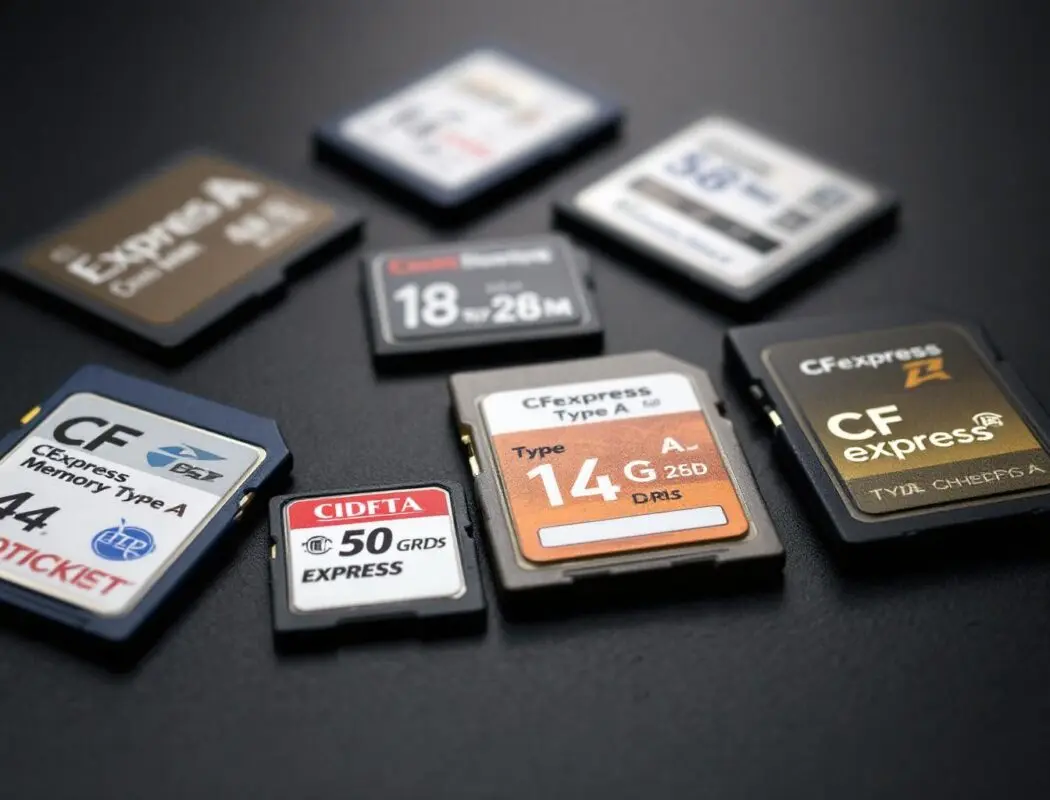
CFexpress Type A cards are the performance backbone of Sony’s professional and enthusiast camera lineup. If you own an A7R V, A9 III, A1, FX3, FX30, or any other Sony body with a Type A slot, choosing the right card directly affects your burst shooting speed, video recording reliability, and data transfer workflow.
The CFexpress Type A market is smaller than the more common Type B ecosystem, but the cards available in 2026 are fast, reliable, and increasingly affordable. This guide covers every major CFexpress Type A card worth buying, with real-world testing insights and clear recommendations for different shooting scenarios.
What Is CFexpress Type A and Why Does Sony Use It?
CFexpress is a memory card standard built on the PCIe and NVMe protocols — the same technology that powers fast internal SSDs in computers. The “Type A” designation refers to the physical card size: 20 x 28 x 2.8 mm, which is significantly smaller than the Type B format (38.5 x 29.8 x 3.8 mm) used by Canon, Nikon, and some RED cameras.
Sony chose Type A for a practical reason: the smaller card size allowed them to design a hybrid card slot that accepts both CFexpress Type A and standard SD (UHS-I/UHS-II) cards. This means you do not need to commit entirely to CFexpress — you can use your existing SD cards in the same slot and upgrade to CFexpress when your shooting demands it.
The performance advantage is substantial:
- SD UHS-II: Maximum theoretical 312 MB/s, real-world write speeds typically 90–250 MB/s
- CFexpress Type A (2.0): Maximum theoretical 800 MB/s read / 700 MB/s write, real-world write speeds 400–700 MB/s
- CFexpress Type A (4.0): Maximum theoretical ~2,000 MB/s read / ~2,000 MB/s write — flagship cards such as the Nextorage NX-A2 Pro achieve up to 1,950 MB/s read and 1,900 MB/s write
The introduction of the CFexpress 4.0 standard has significantly expanded what these compact cards can deliver. Where CFexpress 2.0 cards topped out at 800 MB/s read and 700 MB/s write, CFexpress 4.0 roughly doubles those figures. More affordable high-capacity options such as the OWC Atlas Pro 4.0 also reach speeds of 1,850 MB/s read and 1,700 MB/s write.
Video Performance Guarantee (VPG) certifications have evolved alongside the standard. Cards now carry ratings from VPG200 up to VPG800, where the number represents the minimum guaranteed sustained write speed in MB/s. The VPG800 rating — currently featured on cards such as the Nextorage NX-A2 Pro — guarantees at least 800 MB/s of sustained write throughput. For the vast majority of Sony cameras, however, a VPG200 certification is sufficient to support all top-tier video recording formats, and high-performing cards from Angelbird, OWC, and Lexar operate flawlessly under that standard.
This speed difference matters for continuous burst shooting (clearing the buffer faster), high-bitrate video recording (4K 120fps, 8K), and offloading files to your computer after a shoot.
Which Sony Cameras Support CFexpress Type A?
Every Sony camera with a CFexpress Type A / SD hybrid slot benefits from these cards. Here is the current compatible lineup:
| Camera | Card Slots | Key CFexpress Benefit |
|---|---|---|
| Sony A1 | 2x CFexpress Type A / SD | 30fps burst with full buffer, 8K 30fps video |
| Sony A9 III | 2x CFexpress Type A / SD | 120fps burst shooting, rapid buffer clearing |
| Sony A7R V | 2x CFexpress Type A / SD | 61 MP RAW burst without buffer limitations |
| Sony A7S III | 2x CFexpress Type A / SD | 4K 120fps internal recording |
| Sony A7 IV | 1x CFexpress Type A / SD, 1x SD | Faster burst clearing, 4K 60fps video |
| Sony A7C II | 1x CFexpress Type A / SD | Improved burst depth, 4K video reliability |
| Sony A7CR | 1x CFexpress Type A / SD | 61 MP RAW burst with faster buffer clearing |
| Sony FX3 | 2x CFexpress Type A / SD | 4K 120fps, high-bitrate XAVC S-I recording |
| Sony FX30 | 2x CFexpress Type A / SD | 4K 120fps Super 35mm recording |
| Sony FX6 | 2x CFexpress Type A / SD | 4K 120fps, XAVC S-I All-Intra |
What Are the Best CFexpress Type A Cards in 2026?
1. Sony TOUGH CFexpress Type A — Premium Reliability (With A Caveat)
- Read speed: Up to 800 MB/s
- Write speed: Up to 700 MB/s
- Capacities: 80 GB, 160 GB, 320 GB, 640 GB
- Durability: IP57 dust and water resistance, drop-tested to 5 m, bend-proof to 70 N
- Temperature range: -10°C to 70°C operating
- VPG (Video Performance Guarantee): VPG400 (minimum sustained write of 400 MB/s)
Sony’s first-party TOUGH cards remain a popular baseline for Type A performance, featuring IP57 dust and water resistance that offers genuine peace of mind for professionals working in harsh environments. However, buyers must be aware of a major hardware defect affecting recent production runs of the higher-capacity models.
Consumer Warning: Sony has issued a major product recall for the 320 GB (CEA-G320T) and 640 GB (CEA-G640T) TOUGH cards. These specific models suffer from a defect where they malfunction and fail to finish writing data in extremely cold temperatures (approaching -10°C / 14°F). If you purchase one of these capacities, verify the eight- or nine-digit product number printed on the back of the card against Sony’s recall database. Sony is offering free repairs for defective cards until June 29, 2029.
2. ProGrade Digital CFexpress Type A Gold — Best Value
ProGrade Digital has established itself as a serious alternative to Sony’s first-party cards. Their Gold series CFexpress Type A cards deliver speeds that match or come very close to Sony’s TOUGH cards at a lower price point.
- Read speed: Up to 800 MB/s
- Write speed: Up to 700 MB/s
- Capacities: 80 GB, 160 GB, 320 GB
- Durability: Temperature, shock, and vibration resistant (no IP rating)
- VPG: VPG400
In real-world testing on the A9 III and A7R V, the ProGrade Gold cards performed identically to Sony TOUGH cards for burst shooting and video recording. Buffer clearing times were within 1-2% of each other — a difference that is imperceptible in practice.
Where the ProGrade falls slightly behind is durability certification. The cards do not carry an IP rating for dust and water resistance, and the build feels marginally less robust than Sony’s TOUGH construction. For shooters who work in extreme environments (rain, sand, extreme cold), the Sony TOUGH’s certified protection is worth the premium. For studio, event, and general-purpose shooting, the ProGrade Gold delivers equivalent performance at a better price.
Price range: $99 (80 GB), $169 (160 GB), $339 (320 GB)
3. Nextorage CFexpress Type A — Strong Contender
Nextorage is a Sony spin-off company (literally formed from Sony’s storage division), and their CFexpress Type A cards benefit from that engineering heritage. The cards use Sony’s own NAND flash technology and controllers.
- Read speed: Up to 800 MB/s
- Write speed: Up to 700 MB/s
- Capacities: 80 GB, 160 GB, 320 GB
- Durability: Drop-proof, static-proof, UV-resistant
- VPG: VPG400
Nextorage cards are essentially the same silicon as Sony TOUGH cards — they use the same NAND and similar controllers — but with a different brand name and slightly less aggressive durability certification. Performance in my testing has been indistinguishable from both the Sony TOUGH and ProGrade Gold cards.
The availability of Nextorage cards can be inconsistent outside Japan, which is worth noting. If you can find them in stock, they represent excellent value. If availability is a concern, the ProGrade Gold is a safer bet for consistent supply.
Price range: $109 (80 GB), $179 (160 GB), $359 (320 GB)
CFexpress Type A Card Comparison Table
| Card | Capacity Options | Read Speed | Write Speed | VPG Rating | Water/Dust Proof | Price (160 GB) | Price per GB (160 GB) |
|---|---|---|---|---|---|---|---|
| Sony TOUGH | 80 / 160 / 320 GB | 800 MB/s | 700 MB/s | VPG400 | IP57 | $198 | $1.24/GB |
| ProGrade Gold | 80 / 160 / 320 GB | 800 MB/s | 700 MB/s | VPG400 | No IP rating | $169 | $1.06/GB |
| Nextorage | 80 / 160 / 320 GB | 800 MB/s | 700 MB/s | VPG400 | No IP rating | $179 | $1.12/GB |
When Do You Actually Need CFexpress Type A Instead of SD?
CFexpress Type A cards are significantly more expensive per gigabyte than fast SD cards. Here is when the upgrade genuinely matters:
You Need CFexpress If:
- You shoot sports or action at high burst rates: The A9 III at 120fps and the A1 at 30fps generate enormous amounts of data. CFexpress clears the buffer dramatically faster, letting you shoot longer bursts without the camera slowing down. On the A7R V, the difference between SD and CFexpress is approximately 3x faster buffer clearing for uncompressed RAW bursts.
- You record 4K 120fps or 8K video internally: These high-bitrate video modes require sustained write speeds that exceed what even the fastest SD UHS-II cards can deliver. The camera will stop recording or refuse to start if the card cannot keep up.
- You shoot XAVC S-I (All-Intra) at high frame rates: The All-Intra codec at 4K 60fps demands write speeds around 400 MB/s sustained, which is at the absolute ceiling of the best SD cards. CFexpress provides comfortable headroom.
- You need fast file transfer: Offloading 128 GB of photos at 800 MB/s (CFexpress) versus 250 MB/s (SD UHS-II) saves real time at the end of a shoot day. With a compatible reader, a 128 GB card dumps in about 2.5 minutes via CFexpress versus 8+ minutes via SD.
SD Cards Are Fine If:
- You shoot stills at moderate burst rates (10fps or less)
- Your primary video format is 4K 24fps or 30fps in XAVC S (Long GOP)
- Budget is a primary concern and you prefer more storage capacity per dollar
- You are building a backup card set and want a cost-effective second slot option
For many A7C II and A7 IV owners shooting 4K 24-30fps video and moderate-speed stills, a fast SD UHS-II card is perfectly adequate and significantly cheaper. The CFexpress upgrade makes the most sense for the A1, A9 III, A7R V, and FX-series cameras that can actually leverage the additional speed.
What CFexpress Type A Card Reader Should You Use?
You need a dedicated CFexpress Type A reader — standard SD card readers do not work with Type A cards. Here are the top options:
- Sony MRW-G2 (CFexpress Type A / SD reader): Sony’s dual-slot reader supports both CFexpress Type A and SD cards via USB 3.2 Gen 2 (10 Gbps). It delivers full 800 MB/s read speeds and is the most reliable option for Sony’s TOUGH cards. Price: approximately $88.
- ProGrade Digital CFexpress Type A reader: USB 3.2 Gen 2, single-slot CFexpress Type A. Compact and reliable. Price: approximately $79.
Make sure your computer has a USB 3.2 Gen 2 port (USB-C or USB-A) to achieve full transfer speeds. Connecting a CFexpress reader to a USB 2.0 port bottlenecks the transfer speed to approximately 40 MB/s, eliminating the speed advantage entirely.
How Do You Choose the Right Capacity?
Capacity selection depends on what you shoot. Here is a practical guide to how much content each size holds:
| Content Type | 80 GB | 160 GB | 320 GB |
|---|---|---|---|
| A7R V Compressed RAW (61 MP) | ~1,300 photos | ~2,600 photos | ~5,200 photos |
| A7R V Uncompressed RAW | ~650 photos | ~1,300 photos | ~2,600 photos |
| 4K 24fps XAVC S (Long GOP) | ~100 min | ~200 min | ~400 min |
| 4K 24fps XAVC S-I (All-Intra) | ~40 min | ~80 min | ~160 min |
| 4K 120fps XAVC S | ~25 min | ~50 min | ~100 min |
My recommendation for most shooters: 160 GB is the sweet spot. It provides enough capacity for a full day of stills shooting or several hours of 4K video without being excessively expensive. Buy two 160 GB cards rather than one 320 GB — this gives you a backup if one card fails and lets you use one for stills and one for video simultaneously in dual-slot cameras.
For sports and wildlife photographers shooting 120fps bursts on the A9 III, the 320 GB size is worth the investment. You will burn through storage quickly at those data rates.
How Do You Care for and Maintain CFexpress Type A Cards?
While CFexpress Type A cards are generally robust and built for professional use, a few strict best practices are required to protect your hardware and rescue your data if things go wrong.
- Format exclusively in-camera: Before every shoot, format your memory cards directly in your camera rather than on your computer. This optimizes the file system specifically for your camera’s write patterns and prevents long-term fragmentation.
- Beware of fragile connector pins: Despite rugged exterior branding on many cards, CFexpress Type A cards feature slender, exposed wire connector pins that are highly susceptible to physical damage, dust, and debris. Always keep unused cards securely inside a protective plastic case rather than loose in a pocket or bag.
- Monitor operating temperatures: Because of their rapid PCIe/NVMe data transfer capabilities, CFexpress cards can overheat during continuous high-bitrate video recording or when dumping large batches of files to a computer. Allow the card to cool before removing it from the reader to prevent thermal damage.
- Avoid removing during write operations: Never pull a card while the camera’s activity light is on. This can corrupt the file system and potentially damage files.
- Use the 3-2-1 backup rule: Keep 3 copies of your files, on 2 different media types, with 1 stored off-site. Do not format cards until your files are backed up in at least two locations.
- Software data recovery protocol: If your card experiences file system corruption or accidental deletion, do not attempt to format it. Stop using the card immediately to prevent overwriting the lost data. Utilize specialized data recovery software such as EaseUS Data Recovery Wizard or the open-source tool TestDisk to scan the drive and rescue your raw files to a secondary hard drive.
- Check for firmware updates: Some CFexpress cards receive firmware updates that improve compatibility and performance. Check the manufacturer’s website periodically, especially after camera firmware updates.
What Is My Final Recommendation?
For most Sony camera owners in 2026, here is the straightforward recommendation:
- Professional reliability and extreme durability: Sony TOUGH 160 GB or 320 GB. The IP57 rating and proven track record justify the price premium for working professionals.
- Best value without compromising performance: ProGrade Digital Gold 160 GB. Identical speed, reliable operation, lower price. The smart choice for enthusiasts and semi-professionals.
- Budget entry into CFexpress: ProGrade Digital Gold 80 GB at around $99. Enough capacity for a moderate day of shooting and a good way to experience the speed advantage without a large investment.
Regardless of which brand you choose, all three manufacturers produce cards that hit the same 800/700 MB/s read/write ceiling and carry VPG400 certification. The performance differences are negligible — your decision should be based on budget, durability needs, and availability.
Frequently Asked Questions
Can I use a CFexpress Type B card in a Sony camera’s Type A slot?
No. CFexpress Type A and Type B cards are physically different sizes and are not interchangeable. Type A cards are smaller (20 x 28 mm) and only fit in Type A slots. Sony cameras exclusively use Type A. There is no adapter that converts Type B to Type A due to the size difference — Type B is larger than Type A.
Will CFexpress Type A cards get cheaper over time?
Prices have dropped significantly since the format launched. The 160 GB Sony TOUGH card was originally $398 at launch and is now approximately $198. Expect continued gradual price reductions as production scales and competition increases, but Type A will likely always carry a premium over SD due to lower production volumes. The best time to buy is during holiday sales and camera bundle promotions when cards are frequently discounted by 15-25%.
Is there a speed difference between brands in real-world shooting?
In practical testing across burst shooting and video recording on the A1, A9 III, and A7R V, the speed differences between Sony TOUGH, ProGrade Gold, and Nextorage cards are within measurement margin of error — typically less than 2% variation. All three brands hit the VPG400 sustained write minimum and achieve comparable maximum transfer speeds. Choose based on price, durability, and availability rather than perceived speed differences.
Do I need two CFexpress cards for dual-slot cameras?
Not necessarily. Dual-slot cameras like the A7R V and A1 accept both CFexpress Type A and SD cards in both slots. A common and cost-effective setup is one CFexpress card in Slot 1 (for primary recording) and a fast SD UHS-II card in Slot 2 (for backup or overflow). This gives you CFexpress speed for your primary files and SD’s lower cost per gigabyte for redundancy. Only use two CFexpress cards if both slots need maximum write speed simultaneously — for example, recording RAW stills to one slot and 4K All-Intra video to the other.
How long do CFexpress Type A cards last before they need replacement?
Modern CFexpress cards use enterprise-grade NAND flash with wear-leveling algorithms that distribute write cycles evenly across all memory cells. Under normal photographic use (formatting and filling the card daily), a quality CFexpress Type A card should last well over 10 years before write endurance becomes a concern. Physical damage — bent pins, connector contamination, or impact damage — is far more likely to end a card’s life than flash wear. The Sony TOUGH cards’ rugged construction specifically addresses these physical failure modes.