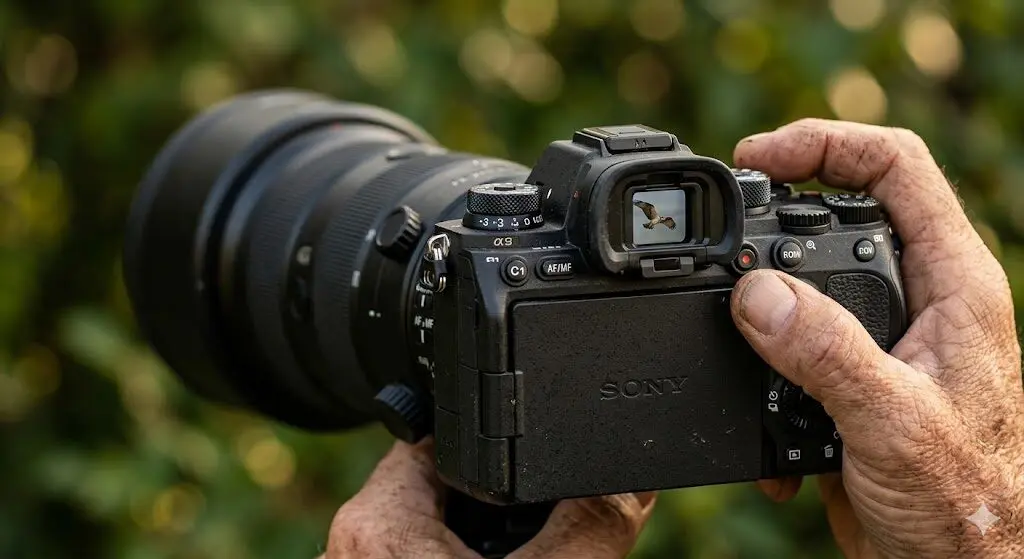
Sony’s focus mode system gives photographers significant control over how and when the camera acquires, holds, and releases focus. Understanding the four main modes—AF-S, AF-C, DMF, and MF—and when to use each transforms how reliably you capture sharp images across different shooting scenarios.
Overview: Sony Focus Modes
| Mode | Full Name | What It Does | Best For |
|---|---|---|---|
| AF-S | Single-shot AF | Locks focus when shutter is half-pressed; won’t update while held | Still subjects, portraits |
| AF-C | Continuous AF | Continuously updates focus while shutter is half-pressed | Moving subjects, sports, wildlife |
| DMF | Direct Manual Focus | AF acquires first; manual ring adjusts from there | Fine focus override on static shots |
| MF | Manual Focus | Camera AF disabled; focus ring only | Macro, astro, creative |
| AF-A | Automatic AF* | Switches between AF-S/AF-C based on subject movement | Casual/unpredictable shooting |
*AF-A not available on all Sony models
AF-S: Single-Shot Autofocus
AF-S acquires focus when you half-press the shutter button and locks it. If you continue holding the half-press and move the camera to recompose, the focus distance does not change—it stays locked at the distance measured when focus was first confirmed.
When to Use AF-S
- Portraits where the subject isn’t moving and you want to confirm focus before composing
- Architecture, landscapes, and still subjects
- Macro photography where fine focus control matters and AF hunting would be disruptive
- Studio work with controlled lighting and static subjects
AF-S with Subject Tracking
Even in AF-S mode, Sony’s face and eye detection activates when Human Subject Recognition is on. AF-S confirms focus on the detected eye; once locked, it holds that focus distance. This is ideal for formal portrait sessions where you want to confirm eye focus is achieved before capturing the decisive moment, rather than trusting continuous AF to maintain it.
Confirming Focus in AF-S
The green focus square and focus confirmation beep (if enabled) signal successful focus acquisition in AF-S. If the camera can’t achieve focus (too dark, too close, too low contrast), it will signal with a red/orange indicator and the shutter may not fire (if “AF w/ Shutter” is set to AF + Shoot). You can change this so the shutter always fires regardless of focus confirmation status—useful for creative work where technically out-of-focus results are intentional.
AF-C: Continuous Autofocus
AF-C continuously updates the focus distance while the shutter is half-pressed. When combined with Sony’s AI Subject Recognition, it predicts subject movement and pre-positions the focus system for where the subject will be when the shutter fully opens—not where they were when the previous frame was captured.
When to Use AF-C
- Any moving subject: sports, children, pets, wildlife, events
- Street photography where subjects enter frame unpredictably
- Video shooting where subjects move toward or away from camera
- Wedding and event photography where you can’t predict when subjects will move
AF-C Settings That Matter
AF Drive Speed (Menu → Camera 2 → AF/MF): Controls how fast the lens motor moves to a new focus distance. Fast is best for sports; Normal or Slow is better for video where sudden large focus jumps look unnatural.
AF Tracking Sensitivity (Menu → Camera 2 → AF/MF): Controls how quickly the camera switches tracking from the current subject to a new subject that enters the frame or becomes closer. Scale of 1–5.
- Setting 1: Camera is “sticky”—holds the current subject very persistently, ignores new subjects unless they completely replace the primary target. Best for tracking a specific subject through crowds.
- Setting 3: Balanced default. Subject switches when another becomes clearly dominant in the frame.
- Setting 5: Responsive—quickly switches to new/closer subjects. Can cause unintended focus jumping in busy scenes.
AF-C and Burst Mode
AF-C with burst mode is the combination for maximizing keeper rate in action photography. At 20fps on the A7 V, the AF system acquires a new focus measurement for each frame, meaning all 20 frames in a one-second burst have independently calculated focus distances. This is categorically different from older systems that would extrapolate focus from a single acquisition across a burst sequence.
DMF: Direct Manual Focus
DMF is a hybrid mode that isn’t well-understood but is genuinely useful. When you half-press the shutter, the camera autofocuses to its best estimate. After focus confirms, you can immediately refine the focus by turning the focus ring without releasing the shutter. The camera’s MF Assist magnification activates automatically when you move the focus ring, helping you fine-tune to critical sharpness.
When DMF Shines
- Macro photography where AF gets close but you want final micro-adjustment control
- Low-contrast scenes where AF is approximately correct but you want verification
- Product photography where precise plane of focus matters and AF alone isn’t adequate
- Flower photography in wind where brief AF acquisition is followed by manual confirmation
DMF effectively gives you AF speed for acquisition and MF precision for final confirmation—the best of both systems in a single mode.
MF: Manual Focus
In MF mode, the AF system is completely disabled. Focus is entirely controlled by the focus ring on the lens. Sony provides several tools to assist manual focusing:
MF Assist Tools
Focus Magnifier: Activated by pressing the Focus Magnifier button (assignable to any custom button, or available in the Quick Menu). Magnifies the live view at 5.9× or 11.7× for precise focus verification. Press the button once to enter, again to exit, or it auto-exits after a configurable delay.
Peaking: Overlays colored edge highlighting on areas of the image that are in focus. Available in High/Mid/Low intensity and in Red, Yellow, White, or Blue. High intensity white peaking works well for most subjects; reduce intensity if it obscures too much detail in fine-textured subjects.
Focus Magnifier with Peaking: Using both simultaneously—magnifying and watching the peaking highlight sharpen as you turn the focus ring—is the most reliable way to confirm critical manual focus.
When to Use MF
- Astrophotography: AF doesn’t work in darkness; manual focus on stars using Focus Magnifier + Peaking
- Macro photography beyond the AF minimum focus distance of the lens
- Adapted lenses with no electronic communication (vintage glass on Sony via adapter)
- Creative intentional blur effects
- Video focus pulls where you want complete manual control over the transition
Back-Button Focus: Separating AF from the Shutter
Back-button focus (BBF) is not a separate AF mode but a configuration that separates focus activation from the shutter button. Set AF activation to a rear button (AF-ON or C1) and set the shutter to shoot-only (no AF). This enables:
- Press and hold AF-ON for AF-C behavior (moving subjects)
- Quick-press AF-ON for AF-S behavior (static subjects—press, release, recompose, shoot)
- Release AF-ON entirely to lock focus at current distance (replaces AF-S half-press lock)
Many professional photographers use BBF exclusively because it eliminates the need to switch between AF-S and AF-C in the menu—the thumb controls AF activation timing, and the index finger only handles capture.
Focus Mode Quick Reference by Shooting Scenario
| Scenario | Recommended Mode | Notes |
|---|---|---|
| Portrait (still) | AF-S or AF-C + Eye AF | AF-S for studio; AF-C for moving sessions |
| Sports/wildlife | AF-C | High drive speed, sensitivity 4–5 |
| Landscape | AF-S or MF | MF with focus magnifier for hyperfocal precision |
| Astrophotography | MF | Peaking + focus magnifier on stars |
| Street (candid) | AF-C | Wide area, human subject recognition |
| Video (narrative) | MF or DMF | Manual pulls for creative control |
| Video (documentary) | AF-C | Face tracking, low transition speed |
| Macro | DMF or MF | AF gets close, manual for final precision |
Frequently Asked Questions
What’s the difference between AF-S and AF-C on Sony cameras?
AF-S locks focus when the shutter is half-pressed and keeps it locked until the shutter is released. AF-C continuously updates focus while the shutter is held half-pressed, tracking subject movement. Use AF-S for still subjects; AF-C for anything that moves.
Should I use AF-A (Automatic AF) on Sony?
AF-A attempts to automatically switch between AF-S and AF-C based on detected subject movement. It’s convenient for casual shooting but less reliable than manually selecting the appropriate mode. Most photographers set AF-C as default and use AF-S only when deliberate lock is needed.
Does Sony have Eye AF in MF mode?
No. Eye AF requires the camera’s phase-detection AF system to be active, which is disabled in MF mode. To use Eye AF, you need AF-S, AF-C, or DMF mode with Human Subject Recognition enabled.
How do I enable Focus Peaking on my Sony camera?
Menu → Camera 2 → Peaking Display → On. Then set Peaking Level (High/Mid/Low) and Peaking Color. Peaking is visible in MF mode and during DMF manual adjustment. Some photographers leave it on in AF-S as a secondary focus confirmation indicator.
Mastering Sony’s focus modes transforms keeper rate across every genre. The investment of 30 minutes learning the interaction between AF-S, AF-C, DMF, and MF—along with back-button focus configuration—pays dividends on every shoot afterward.