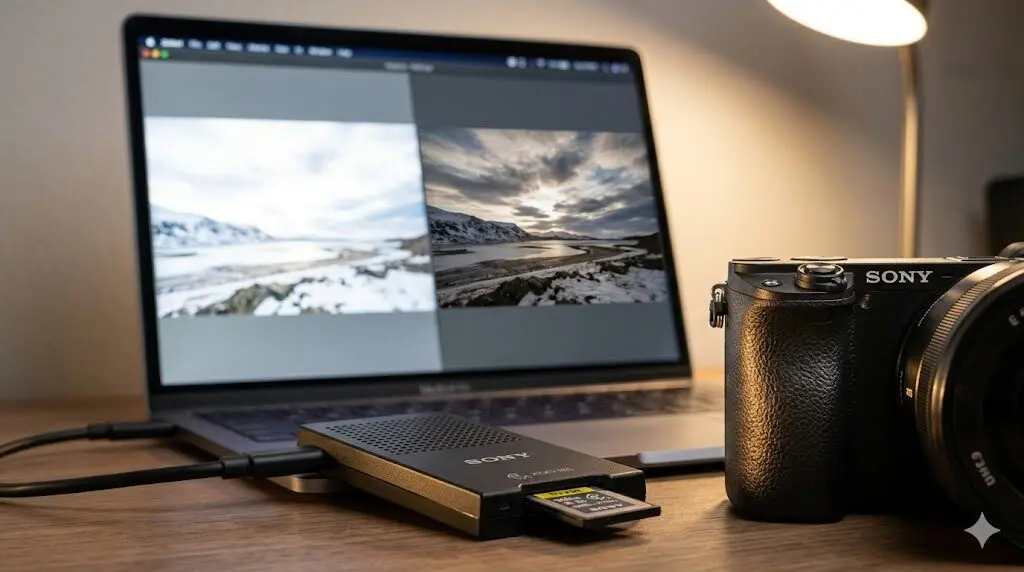
Every Sony Alpha camera offers a choice between RAW (ARW format), JPEG, and RAW+JPEG. The “always shoot RAW” advice is common but not universally correct—JPEG has genuine advantages in specific workflows, and understanding when each format serves you better improves both your results and your efficiency.
Sony ARW vs JPEG: Core Differences
| Characteristic | Sony ARW (RAW) | Sony JPEG |
|---|---|---|
| File size (33MP camera) | 25–50MB per file | 5–12MB per file |
| Dynamic range usable | 14–15 stops (all preserved) | 8–10 stops (clipped in processing) |
| Color information | 12–14 bit (4,096–16,384 levels per channel) | 8 bit (256 levels per channel) |
| In-camera processing applied | Minimal (lens correction only) | Sharpening, NR, color curves, Creative Look |
| Ready to share immediately | No (requires processing) | Yes |
| White balance adjustable post | Yes, non-destructively | Limited (shifted from incorrect WB has artifacts) |
| Editing latitude | High | Low |
| Camera buffer capacity | Lower (~44 frames on A7 IV) | Higher (100+ frames) |
What Is Sony’s ARW Format?
ARW (Alpha Raw) is Sony’s proprietary RAW file format. An ARW file contains the raw sensor data exactly as captured—linear light values from each photosite before any processing is applied. In contrast, a JPEG has been processed by the camera’s BIONZ processor: white balance applied, tone curves compressed, sharpening added, noise reduction smoothed, and the file compressed from 14-bit to 8-bit.
ARW files are supported by:
- Adobe Lightroom Classic and Lightroom (free DNG converter also available)
- Capture One Pro (with better Sony ARW color science than Adobe in some versions)
- Sony Imaging Edge Desktop (free, basic)
- DaVinci Resolve (for video RAW on supported bodies)
- Affinity Photo, Luminar Neo, ON1 Photo RAW
Sony uses two ARW variants: standard compressed ARW and lossless compressed ARW. The lossless option (available on A7 V and newer) provides identical image quality to uncompressed with smaller file size—a strict improvement over uncompressed with no downside for still photography.
When to Shoot RAW (ARW)
High-Contrast Outdoor Scenes
The classic case for RAW: a bright sky + dark shadow foreground landscape. A properly exposed ARW file might have 4–6 stops of recoverable highlight detail and 4–6 stops of shadow detail that a JPEG has permanently clipped. In Lightroom, pulling highlights down -100 and lifting shadows +100 on an ARW can reveal a usable image from what appears completely blown or blocked in a JPEG.
Sony’s BSI sensors are particularly good at this—the A7 V and A7R V have among the highest dynamic range scores of any camera system, and ARW files from these bodies recover detail that would be lost on sensors with lower native DR.
Mixed Lighting with Color Casts
Shooting indoors under fluorescent + window light at a concert, or under sodium street lighting at night—the mixed color temperatures are impossible to correct cleanly in JPEG because the adjustment requires shifting different parts of the image in different directions. In RAW, white balance is an instruction applied at export, not a destructive baking into pixels. Non-standard WB corrections (green shift for fluorescent, magenta reduction for LED) apply cleanly to the underlying data.
Professional Deliverables
For client work—weddings, portraits, commercial—RAW preserves the maximum option to fix exposure errors, correct color, or deliver multiple interpretations of the same file. A slightly underexposed RAW image is recoverable; a slightly underexposed JPEG at ISO 3,200 shows visible banding and compression artifacts when pushed up.
Important or Irrepeatable Moments
Any shoot where you can’t return for a reshoot: travel photography, wildlife, events, street documentation. RAW preserves the maximum information from the sensor—if you get the exposure approximately right, post-processing can finish the job. JPEG requires getting both exposure and color right in-camera.
When JPEG Is the Right Choice
Event and Sports Photography with Fast Turnaround
Sports photographers shooting for wire services transmit JPEGs directly from camera to editors in the field. Wedding photographers shooting 2,000+ images need files that can be culled, key-selected, and delivered without processing every frame. The BIONZ XR processor’s JPEG quality in Sony cameras is genuinely professional-grade; the output requires little to no editing for properly exposed images in good light.
Casual Photography and Social Media
If every photo goes directly from camera to Instagram or to friends via text message, RAW’s editing latitude is theoretical benefit that’s never realized. High-quality Sony JPEG with a Creative Look that matches your aesthetic is the more practical choice—no culling software needed, images are immediately shareable.
Long Burst Sequences
Sony’s buffer depth in RAW is limited on some bodies (the A7R V captures ~30 RAW frames before slowing). In JPEG, you can burst essentially indefinitely. For sports, wildlife, and any shooting where you need sustained 10fps+ for extended sequences, JPEG (or JPEG+RAW for the best of both) may be forced by the application.
Street Photography with Preset Processing
Many street photographers shoot Black and White JPEG with a specific Creative Look (high contrast B&W, or the FL film-like profile) configured in-camera, producing final images directly from the camera with a distinctive aesthetic. The immediacy of a finished JPEG is part of the street photography discipline for some practitioners.
Sony’s Creative Looks: Making JPEG Work Better
Sony’s BIONZ XR processor renders JPEG images with Creative Looks—preset tone and color adjustments that determine the final look of in-camera JPEG:
| Creative Look | Character | Recommended Use |
|---|---|---|
| Standard (ST) | Neutral, slightly saturated | General photography baseline |
| Portrait (PT) | Warm skin, reduced saturation | People and portrait |
| Vivid (VV) | High saturation, punchy color | Landscapes, travel social media |
| Natural (NT) | Low saturation, low contrast | Base for post-processing in JPEG |
| Film-like (FL) | Desaturated, cinematic | Travel, documentary, moody street |
| Instant (IN) | Warm highlights, lifted shadows | Casual, Instagram-ready aesthetic |
| Black & White (BW) | Monochrome | Documentary, street |
RAW+JPEG: The Best of Both Worlds
Sony cameras can simultaneously write RAW (to primary card) and JPEG (to secondary card or same card). This gives you:
- Immediate JPEG for quick review, sharing, and culling
- ARW for post-processing any important or challenging image
- Two independent records of every image on separate cards
The cost: roughly 3× the storage requirement of JPEG-only. For wedding photographers shooting 2,000 images, RAW+JPEG generates 100GB+ per event. The workflow benefit (cull from JPEG, process ARW for selected images) justifies this for professional work.
ARW Compression Options on Sony A7 V and Newer
- Uncompressed ARW: Largest file size, maximum data preservation
- Lossless Compressed ARW: Same quality as uncompressed, 30–40% smaller file size. Recommended for all shooting.
- Compressed ARW: Lossy compression; slight quality reduction at extreme pixel-level inspection. Acceptable for most work.
- JPEG Extra Fine: Highest quality JPEG; least compression; largest JPEG file size
Recommendation: Lossless Compressed ARW for maximum quality with practical file sizes. Available on A7 V, A9 III, A1 II.
Frequently Asked Questions
Is Sony ARW compatible with Lightroom?
Yes. Adobe Lightroom Classic and Lightroom CC support Sony ARW files from all current and recent Sony bodies. New camera ARW support arrives through Adobe’s Camera Raw updates, typically within weeks of a new camera launch. If a very new body isn’t supported yet, Sony’s free ARW Converter or DNG Converter (Adobe) provides a bridge.
Does shooting RAW affect Sony camera performance?
On most Sony bodies, RAW recording uses significantly more buffer space than JPEG, reducing sustained burst capacity before the buffer fills. With fast V90 SD or CFexpress Type A cards, this is less limiting—but at maximum burst in challenging action scenarios, JPEG allows longer uninterrupted burst sequences.
Can I recover overexposed ARW files from Sony cameras?
Yes, within limits. Sony BSI sensors have approximately 3–5 stops of highlight recovery in RAW—meaning if the image is 2–3 stops overexposed, pulling highlights down to -100 in Lightroom will reveal useful detail. Complete clipping (where all channels are at maximum value) is unrecoverable in any format. RAW gives significantly more headroom than JPEG for this recovery.
Which Sony cameras shoot compressed vs lossless compressed RAW?
Lossless compressed RAW is available on: A7 V, A9 III, A1 II, A7R V (some modes). The A7 IV and A7C II offer compressed and uncompressed RAW but not lossless compressed. If lossless is important to your workflow, verify on your specific body.
RAW and JPEG are tools with different strengths. The choice isn’t about which format is “better”—it’s about which format serves the specific shooting situation and workflow. Most photographers ultimately settle on RAW+JPEG as a default that covers all scenarios, then switch to JPEG-only for high-volume burst situations where buffer depth and file management efficiency take priority.